 8b5ba13b81
### Description Design document: https://cwiki.apache.org/confluence/display/CLOUDSTACK/%5BDRAFT%5D+Minimal+changes+to+allow+new+dynamic+hypervisor+type%3A+Custom+Hypervisor This PR introduces the minimal changes to add a new hypervisor type (internally named Custom in the codebase, and configurable display name), allowing to write an external hypervisor plugin as a Custom Hypervisor to CloudStack The custom hypervisor name is set by the setting: 'hypervisor.custom.display.name'. The new hypervisor type does not affect the behaviour of any CloudStack operation, it simply introduces a new hypervisor type into the system. CloudStack does not have any means to dynamically add new hypervisor types. The hypervisor types are internally preset by an enum defined within the CloudStack codebase and unless a new version supports a new hypervisor it is not possible to add a host of a hypervisor that is not in part of the enum. It is possible to implement minimal changes in CloudStack to support a new hypervisor plugin that may be developed privately This PR is an initial work on allowing new dynamic hypervisor types (adds a new element to the HypervisorType enum, but allows variable display name for the hypervisor) ##### Proposed Future work: Replace the HypervisorType from a fixed enum to an extensible registry mechanism, registered from the hypervisor plugin #### Feature Specifications - The new hypervisor type is internally named 'Custom' to the CloudStack services (management server and agent services, database records). - A new global setting ‘hypervisor.custom.display.name’ allows administrators to set the display name of the hypervisor type. The display name will be shown in the CloudStack UI and API. - In case the ‘hypervisor.list’ setting contains the display name of the new hypervisor type, the setting value is automatically updated after the ‘hypervisor.custom.display.name’ setting is updated. - The new Custom hypervisor type supports: - Direct downloads (the ability to download templates into primary storage from the hypervisor hosts without using secondary storage) - Local storage (use hypervisor hosts local storage as primary storage) - Template format: RAW format (the templates to be registered on the new hypervisor type must be in RAW format) - The UI is also extended to display the new hypervisor type and the supported features listed above. - The above are the minimal changes for CloudStack to support the new hypervisor type, which can be tested by integrating the plugin codebase with this feature. #### Use cases This PR allows the cloud administrators to test custom hypervisor plugins implementations in CloudStack and easily integrate it into CloudStack as a new hypervisor type ("Custom"), reducing the implementation to only the hypervisor supported specific storage/networking and the hypervisor resource to communicate with the management server. - CloudStack admin should be able to create a zone for the new custom hypervisor and add clusters, hosts into the zone with normal operations - CloudStack users should be able to execute normal VMs/volumes/network/storage operations on VMs/volumes running on the custom hypervisor hosts |
||
|---|---|---|
| .. | ||
| docs | ||
| nginx | ||
| public | ||
| src | ||
| tests | ||
| .babelrc | ||
| .editorconfig | ||
| .env.local.example | ||
| .env.local.https.example | ||
| .env.primate-qa | ||
| .gitattributes | ||
| .gitignore | ||
| .prettierrc | ||
| Dockerfile | ||
| LICENSE | ||
| README.md | ||
| babel.config.js | ||
| docker.sh | ||
| index.html | ||
| jest.config.js | ||
| jsconfig.json | ||
| package-lock.json | ||
| package.json | ||
| postbuild.sh | ||
| prebuild.sh | ||
| theme.config.js | ||
| vue.config.js | ||
| webstorm.config.js | ||
README.md
CloudStack UI
A modern role-based progressive CloudStack UI based on VueJS and Ant Design.
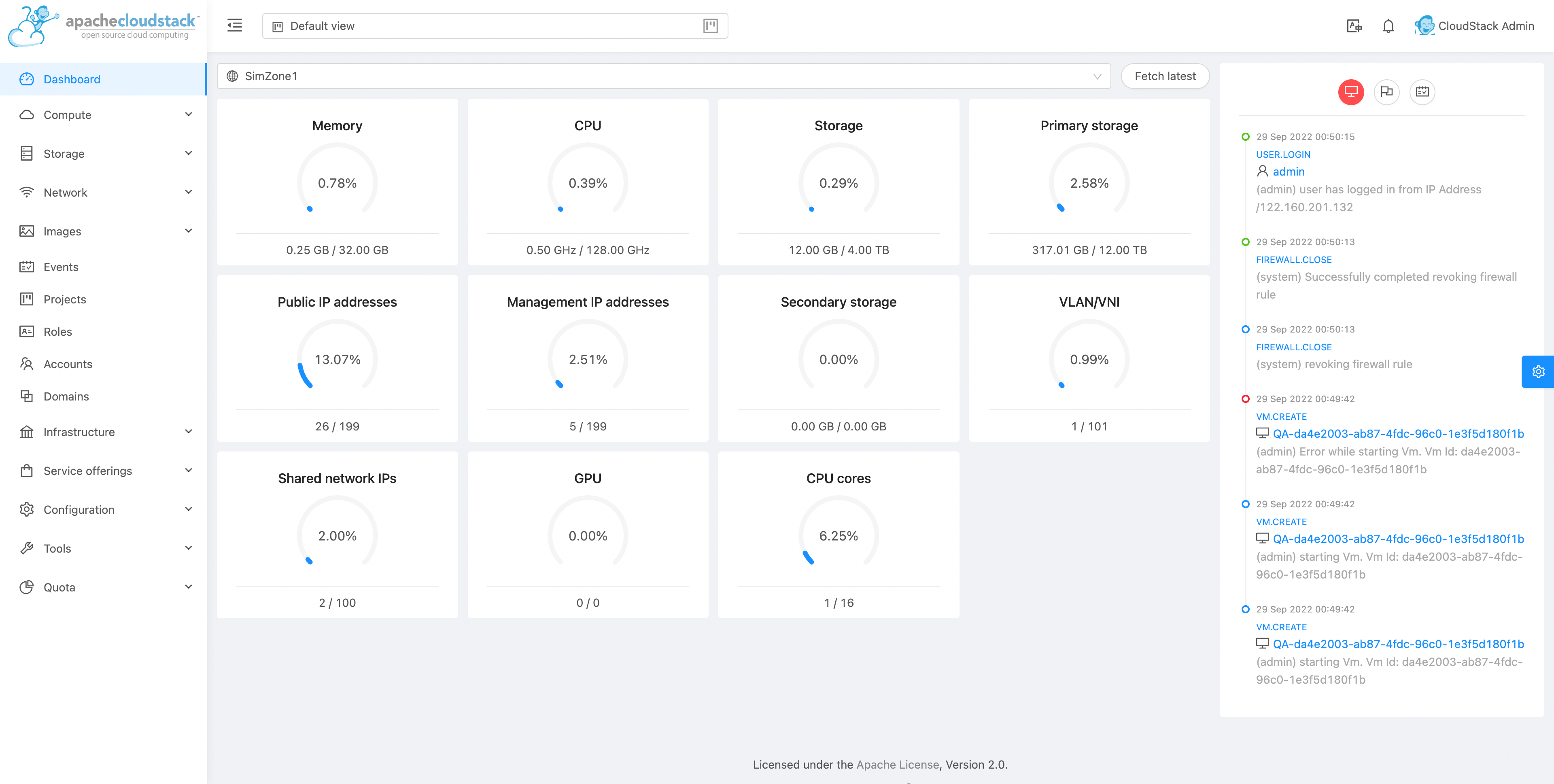
Getting Started
Install node: (Debian/Ubuntu)
curl -sL https://deb.nodesource.com/setup_14.x | sudo -E bash -
sudo apt-get install -y nodejs
# Or use distro provided: sudo apt-get install npm nodejs
Install node: (CentOS/Fedora/RHEL)
curl -sL https://rpm.nodesource.com/setup_14.x | sudo bash -
sudo yum install nodejs
Install node: (Mac OS)
brew install node@16
Optionally, you may also install system-wide dev tools:
sudo npm install -g @vue/cli npm-check-updates
Development
Clone the repository:
git clone https://github.com/apache/cloudstack.git
cd cloudstack/ui
npm install
Override the default CS_URL to a running CloudStack management server:
cp .env.local.example .env.local
Change the `CS_URL` in the `.env.local` file
To configure https, you may use .env.local.https.example.
To use the community Simulator QA server you can do this:
echo "CS_URL=https://qa.cloudstack.cloud" > .env.local
Build and run:
npm run serve
# Or run: npm start
Upgrade dependencies to the latest versions:
ncu -u
Run Lint and Unit Tests:
npm run lint
npm run test:unit
Fix issues and vulnerabilities:
npm audit
A basic development guide and explaination of the basic components can be found here
Production
Fetch dependencies and build:
npm install
npm run build
This creates a static webpack application in dist/, which can then be served
from any web server or CloudStack management server (jetty).
To use CloudStack management server (jetty), you may copy the built UI to the webapp directory on the management server host. For example:
npm install
npm run build
cd dist
mkdir -p /usr/share/cloudstack-management/webapp/
cp -vr . /usr/share/cloudstack-management/webapp/
# Access UI at {management-server}:8080/client in browser
If the webapp directory is changed, please change the webapp.dir in the
/etc/cloudstack/management/server.properties and restart the management server host.
To use a separate webserver, note that the API server is accessed through the path
/client, which needs be forwarded to an actual CloudStack instance.
For example, a simple way to serve UI with nginx can be implemented with the following nginx configuration (to be put into /etc/nginx/conf.d/default.conf or similar):
server {
    listen       80;
    server_name  localhost;
    location / {
        # /src/ui/dist contains the built UI webpack
        root   /src/ui/dist;
        index  index.html;
    }
    location /client/ {
        # http://127.0.0.1:800 should be replaced your CloudStack management
        # server's actual URI
        proxy_pass   http://127.0.0.1:8000;
    }
}
Docker
A production-ready Docker container can also be built with the provided Dockerfile and build script.
Make sure Docker is installed, then run:
bash docker.sh
Change the example configuration in nginx/default.conf according to your needs.
Run UI:
docker run -ti --rm -p 8080:80 -v $(pwd)/nginx:/etc/nginx/conf.d:ro cloudstack-ui:latest
Packaging
The following is tested to work on any Ubuntu 18.04/20.04 base installation or docker container:
# Install nodejs (lts)
curl -sL https://deb.nodesource.com/setup_14.x | sudo -E bash -
sudo apt-get install -y nodejs debhelper rpm
# Install build tools
npm install -g @vue/cli webpack eslint
# Clone this repository and run package.sh
cd <cloned-repository>/packaging
bash -x package.sh
Documentation
- VueJS Guide: https://vuejs.org/guide/
- Vue Ant Design: https://www.antdv.com/docs/vue/introduce/
- UI Developer Docs
- JavaScript ES6 Reference: https://www.tutorialspoint.com/es6/
- Introduction to ES6: https://scrimba.com/g/gintrotoes6
Attributions
The UI uses the following:
History
The modern UI, originally called Primate, was created by Rohit Yadav over several weekends during late 2018 and early 2019. During ApacheCon CCCUS19, on 9th September 2019, Primate was introduced and demoed as part of the talk Modern UI for CloudStack (video). Primate was accepted by the Apache CloudStack project on 21 Oct 2019. The original repo was merged with the main apache/cloudstack repo on 20 Jan 2021.
License
Licensed to the Apache Software Foundation (ASF) under one or more contributor license agreements. See the NOTICE file distributed with this work for additional information regarding copyright ownership. The ASF licenses this file to you under the Apache License, Version 2.0 (the "License"); you may not use this file except in compliance with the License. You may obtain a copy of the License at
http://www.apache.org/licenses/LICENSE-2.0
Unless required by applicable law or agreed to in writing, software distributed under the License is distributed on an "AS IS" BASIS, WITHOUT WARRANTIES OR CONDITIONS OF ANY KIND, either express or implied. See the License for the specific language governing permissions and limitations under the License.